
How traffic travels from a client device to the internet through a compartmentalized node chain, where each component knows only what it needs to.
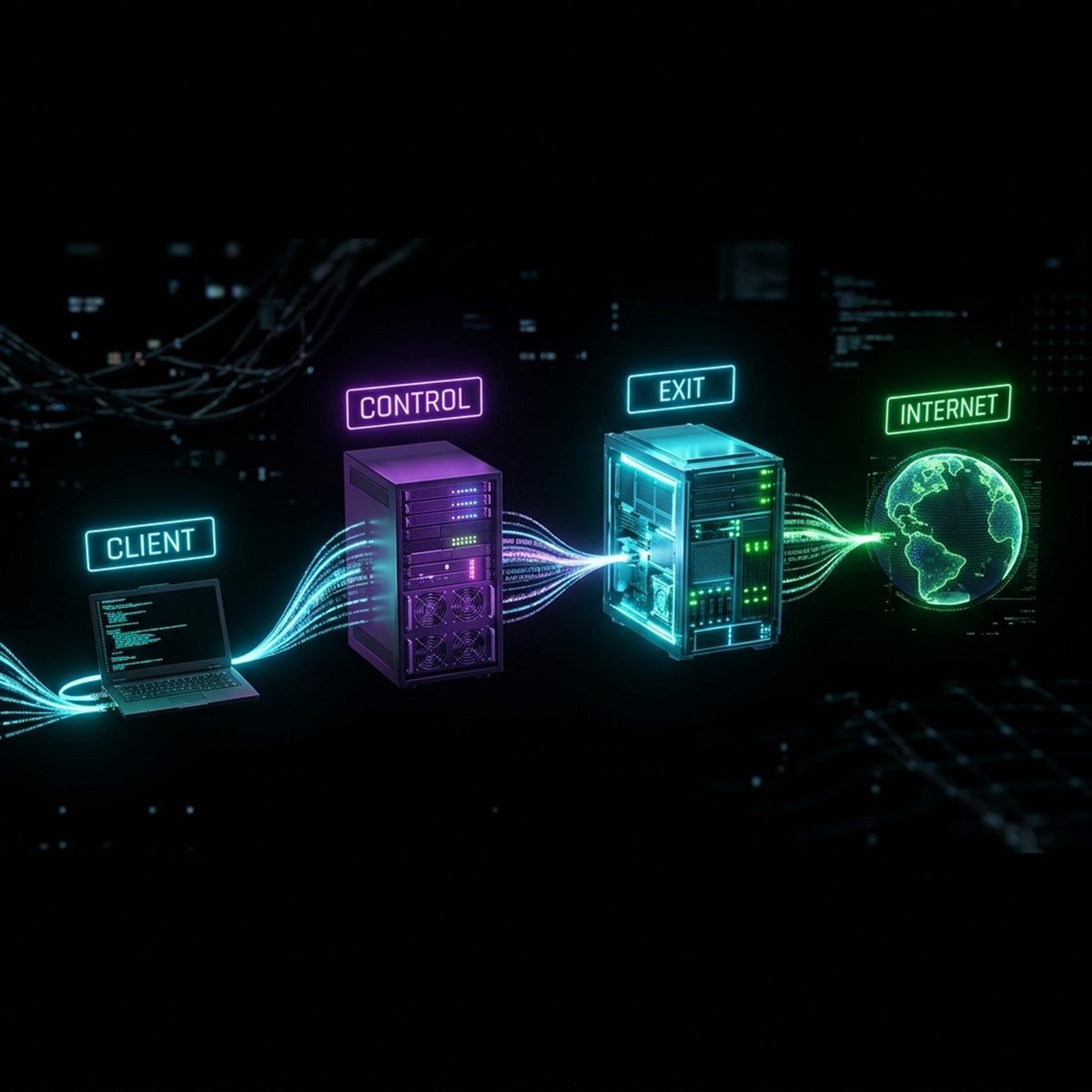
Each component has a strictly bounded role. Compromising any one of them reveals nothing about the others — this is fundamentally different from classic single-hop proxy designs.
The app on the user's device. Captures all IP traffic via a virtual network interface and routes it into the tunnel.
Regional first-hop proxy. Accepts the client connection and transparently forwards it to an exit node. Cannot read traffic content.
Terminates the encrypted tunnel and connects to the target resource. Traffic exits the network from the exit node's IP address.
Central management server. Issues access keys, maintains the node registry, handles billing. Clients never connect to it directly.
From the moment a website is opened to when the response arrives — every step of the NavLink tunnel protocol.
The client app brings up a virtual network interface — WinTun on Windows, NEPacketTunnelProvider on macOS, VpnService on Android. All IP traffic is captured and handed to tun2socks, which emulates a full TCP stack over the TUN adapter.
Each destination IP is checked against a CIDR set loaded at connect time. Addresses in the destination country are sent directly via the physical interface. All others go through the tunnel.
RUUSCNIREUThe client opens a TLS connection to a control node using a browser fingerprint — Chrome, Firefox, Safari, or Edge, randomly selected per connection. A channel byte is embedded in the TLS Session ID field: 0x00 for the main tunnel, 0x01 for relay API, 0x02 for the NAT signal channel.
Session ID[0] = 0xA7 Session ID[1] = channelThe control node does not decrypt TLS or inspect content. It forwards the raw byte stream to an exit node selected by geo-routing policy: exits in the client's country and in the control's own country are excluded. Among the rest, selection is based on RTT and load.
The exit node sees the incoming stream as a chunked HTTP POST to a static-looking path. It decodes the obfuscation, validates the X-Session token via local cache, and opens a TCP connection to the target host.
X-Session X-Target X-ConnThe response from the target server travels the same path in reverse: exit, then control, then client. The HTTP obfuscation layer applies to outbound data as well — to an external observer the entire exchange looks like standard HTTPS.
A NavLink access key is not just a username and password. It is an encrypted structure with embedded node addresses and an arbiter digital signature.
The client decrypts the key-string and extracts: login, password, a list of control nodes, the arbiter's public key, and an Ed25519 digital signature. V2 keys use XChaCha20-Poly1305 with a BLAKE2b-derived encryption key.
XChaCha20-Poly1305 BLAKE2b-256 Ed25519POST /api/auth/login is proxied through an exit node to the arbiter. The client never contacts the arbiter directly. The arbiter validates the password and returns an opaque SNC token encrypted with ChaCha20-Poly1305.
Every tunnel request carries the X-Session header. The exit validates the token via local cache or queries the arbiter directly. A stale cache is kept for 3 hours to handle temporary arbiter unavailability.
cache TTL: 1 min stale fallback: 3 hIf the same key is simultaneously used from two different device IDs within a 10-second window, it is flagged as a potential key leak. After three such events the account is automatically suspended.
window: 10 s 3 events = blockedThe central architectural property: infrastructure knowledge is split across components. No single node holds the complete picture.
| Data | Client | Control | Exit | Arbiter |
|---|---|---|---|---|
| Control node addresses | Yes | Yes | No | Yes |
| Exit node addresses | No | Yes | Yes | Yes |
| Full network topology | No | No | No | Yes |
| Real client IP | Yes | Yes | No | No |
| Target host | Yes | No | Yes | No |
| Traffic content | Yes | No | No | No |
The exit node sees the target host only in the X-Target header used to open the outbound TCP connection. It does not decrypt traffic content. The control sees the client IP but does not know the destination.
Seven Protection Layers
A detailed breakdown of each of the seven obfuscation mechanisms.
Overview Protection Layers