 NavLink NavLink
Get access to the Tunnel Cat tunnel network and launch your own VPN service under your own brand — no infrastructure to build or maintain.

Go to shortnerdcat.navlink.net. Top right: click Sign up if you don't have an account yet, or Log in if you do. This is the same account used for ShortNerdCat itself.
Go to your account page: shortnerdcat.navlink.net/my.html. In the row of tabs under the header, click Partner. Write a short note about what you're building, click Submit application.
An admin reviews every application by hand — there's no automatic approval. Once approved, the same Partner tab stops showing the application form and starts showing your API documentation instead. That's your signal you're in.
Calling the API from a browser that's already logged in, skip this — the cookie is already set. Calling from a script or a server, log in with the same email/password you used in step 1 and save the cookie to a file:
curl -c cookies.txt -X POST https://navlink.net/api/account/login \
  -H "Content-Type: application/json" \
  -d '{"email": "you@example.com", "password": "your-password"}'
This writes the cookie into cookies.txt. Every call below reuses it with curl's -b cookies.txt instead of pasting a cookie value by hand. It's valid for 7 days — after that, just run this again.
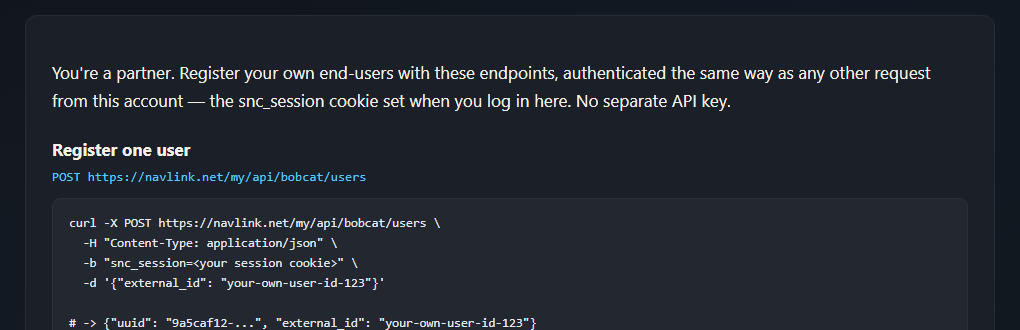
This call registers one of your own users and gives them a UUID:
curl -b cookies.txt -X POST https://navlink.net/my/api/bobcat/users \
  -H "Content-Type: application/json" \
  -d '{"external_id": "your-own-user-id-123"}'

# -> {"uuid": "9a5caf12-...", "external_id": "your-own-user-id-123"}
external_id is optional and is yours to define — your own user/account id, so you can look this UUID back up later. Re-posting the same external_id returns the existing user instead of creating a duplicate, so it's safe to retry.
Same idea, an array instead of one object — up to 5000 per call, every row gets its own result:
curl -b cookies.txt -X POST https://navlink.net/my/api/bobcat/users/bulk \
  -H "Content-Type: application/json" \
-d '[{"external_id":"user-1"},{"external_id":"user-2"},{"external_id":"user-3"}]'Open the VLESS tab in your own account (shortnerdcat.navlink.net/my-vless.html — every logged-in account has one). It lists the currently-live relay server(s), each with a host, a gRPC port + service name, and an XHTTP port + path. Use the same host/port/service-name/path for every end-user you connect — only the UUID changes per user.
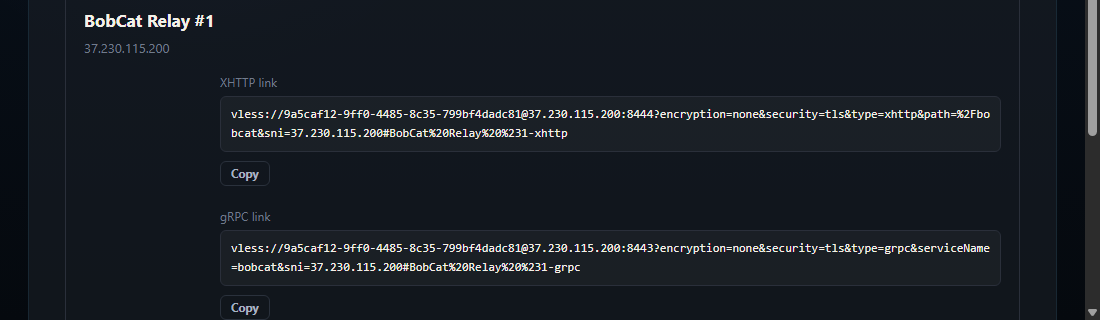
Standard vless:// URI — fill in the UUID from step 5 and the relay details from step 7:
vless://<uuid>@<host>:<xhttp_port>?encryption=none&security=tls&type=xhttp&path=%2Fbobcat&sni=<host>#my-user

vless://<uuid>@<host>:<grpc_port>?encryption=none&security=tls&type=grpc&serviceName=bobcat&sni=<host>#my-user
Either line works — XHTTP is the actively-maintained transport, gRPC is kept as a fallback. Hand your end-user the finished link (or a QR code of it), or build it into your own app.
Paste the link into any standard VLESS client — on Android, v2rayNG or NekoBox; on desktop, any Xray/V2Ray-compatible client. The relay's TLS certificate is a real Let's Encrypt certificate, so no "allow insecure" setting is needed.
Apply from your NavLink account — an admin reviews every application.
You'll need to log in or sign up first.
Apply for a partnership